

Spilled liquid on your laptop? We can fix it.
Acted fast? Good, so should the repair. We clean corrosion, save your data and get liquid-damaged laptops and MacBooks working again whenever possible.
Liquid damage is a race, not a verdict. What kills spilled laptops is rarely the first splash; it is the corrosion that grows over days and the power that keeps flowing through wet circuits. Machines that reach our bench quickly, powered off, have excellent odds. Our teardown, cleaning and corrosion treatment saves laptops other shops write off.
The usual suspects
Different causes, very different fixes. This is what our bench finds most often.
The liquid itself
Water conducts electricity across circuits that were never meant to touch. Powered on, that means shorts; powered off quickly, often no damage at all yet.
Sugar and acids
Coffee, soda and juice leave conductive, corrosive residue that keeps attacking the board long after everything feels dry. Sticky spills are urgent even when the laptop seems fine.
Corrosion over days
Moisture plus residue grows green and white corrosion on connectors and traces. This is why laptops die three weeks after the spill they seemed to survive.
Power while wet
The single biggest killer: current flowing through wet circuitry. Every minute powered on multiplies the damage, which is why the rice myth fails.
Battery complications
A wet battery or charging circuit can short, overheat, or corrode its connector, and it keeps feeding power even with the charger unplugged.
Keyboard wicking
Keyboards drink spills straight down into the board below. Even small spills reach further inside than they look.
Signs you might see
Five safe checks before you spend a dime
These steps fix a surprising share of cases and cannot make anything worse.
Power off immediately
Hold the power button until everything is off. Skip saving files, skip the proper shutdown. Cutting power is the one thing that matters most.
Unplug everything
Charger first, then every USB device. If your laptop has a removable battery, take it out. Do not pry at sealed batteries.
Tent it upside down
Open the lid to a V shape and place it keyboard-down on a towel so gravity pulls liquid away from the board, not deeper into it.
Blot, do not blow
Dab visible liquid with a lint-free cloth. No hair dryers and no compressed air; heat and pressure push moisture deeper.
Get it to a bench fast
Air-drying cannot remove residue. The sooner the board is opened, inspected and properly cleaned, the more we save. Call us on the way in.
When to stop
Do not power it on to check if it still works, and skip the rice bowl entirely. Rice barely dries anything, does nothing about corrosive residue, and costs you the days that decide whether the board survives.
Steps didn't help?
Then it needs the bench. Bring it in, walk-ins welcome, and the diagnostic applies toward your repair.
Book a repairWhat happens on our bench
Immediate teardown
The machine comes apart the day it arrives so trapped liquid stops doing damage.
Board inspection & cleaning
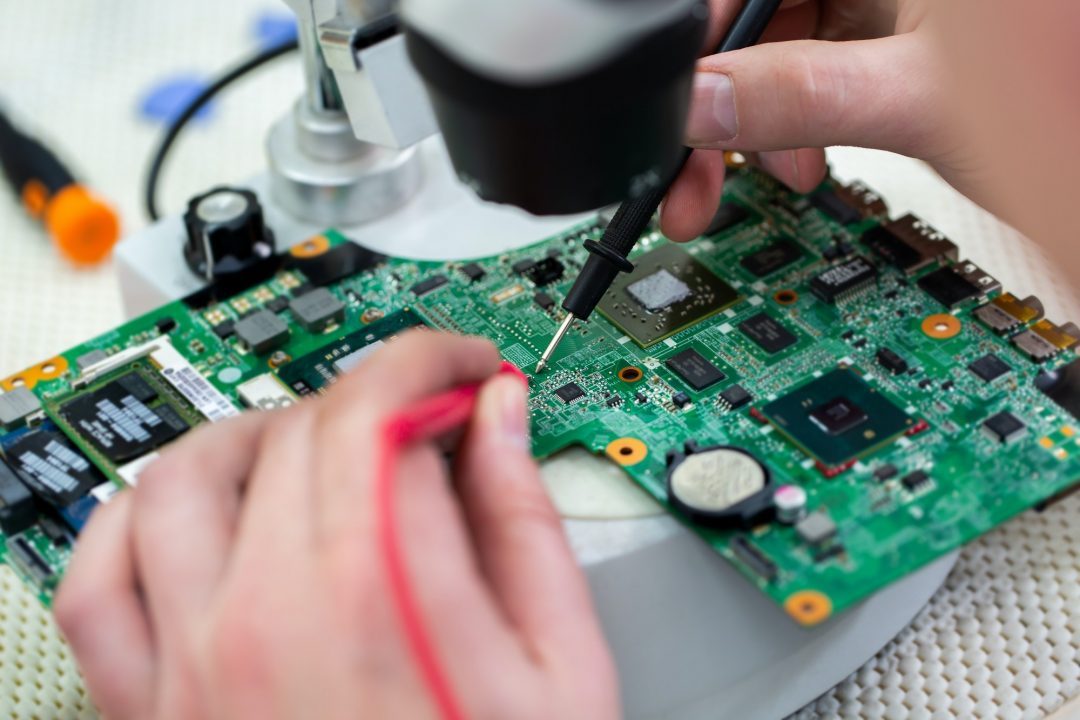
The motherboard is inspected under magnification and cleaned properly to remove residue and corrosion at the source.
Corrosion treatment
Affected connectors and traces treated and verified, the step that prevents the delayed failures spills are famous for.
Component-level verdicts
Keyboard, battery, drive and board tested separately, so you only replace what the liquid actually killed.
Data first, always
Your storage is secured early in the process. Even when a board is lost, the files almost always survive.
Honest go / no-go
If the damage is beyond economic repair, we say so quickly and put the focus on recovering your data instead.
What it costs
You approve every price before work begins, and your diagnostic fee applies toward the repair.
The first hour decides most spill outcomes
Liquid-damaged laptops divide into two groups: the ones powered off fast and brought in quickly, and the ones that got the rice treatment for a week. The first group usually leaves our shop working. The second arrives with corrosion already grown across connectors, and the repair becomes bigger or becomes a data recovery instead.
The physics is simple: electricity plus liquid destroys circuits, and residue from anything sweet keeps corroding for weeks. Powering off immediately, tenting the laptop upside down, and getting it to a bench for proper cleaning is the entire playbook, and the same-day teardown is what our Hendersonville shop is set up to do.
It still works. Should I still bring it in?
If the spill was anything other than plain water: yes, and promptly. Coffee, soda and juice leave a conductive film that slowly eats traces, which is exactly why so many spilled laptops die weeks later as keyboard faults, charging problems or sudden shutdowns. A working laptop after a sticky spill is a laptop on a timer until the residue is cleaned off.
Plain-water spills that were powered off fast have better odds, but an inspection is still cheap insurance compared to a motherboard. Either way, back up your files today; liquid damage is one of the leading causes of sudden data loss we see.
Services that solve this
Frequently asked
In most cases, yes. We start with a diagnosis to find the real cause, then give you a clear price and timeline before any work begins.
Spilled liquid on your laptop? Let's fix it.
Tell us what's going on and pick a time. No charge to reserve, and your diagnostic applies toward the repair.
Tell us about your device
The more detail, the faster we diagnose.